Everything eBook Crafter can do
The WordPress PDF plugin made for books
Some plugins turn a page into a PDF and that’s it. eBook Crafter is built for whole books, from the first cover to the last page number, and it does all of it inside the native WordPress block editor.
★★★★★ Rated 5 stars on WordPress.org. “It worked natively in the block editor too no problems!” – Blake Whittle, owner of Backline and Infinite Uploads
Gather every post. Make it evergreen in your book.
Your best writing is already in WordPress. Collect it, and create a PDF book from it.
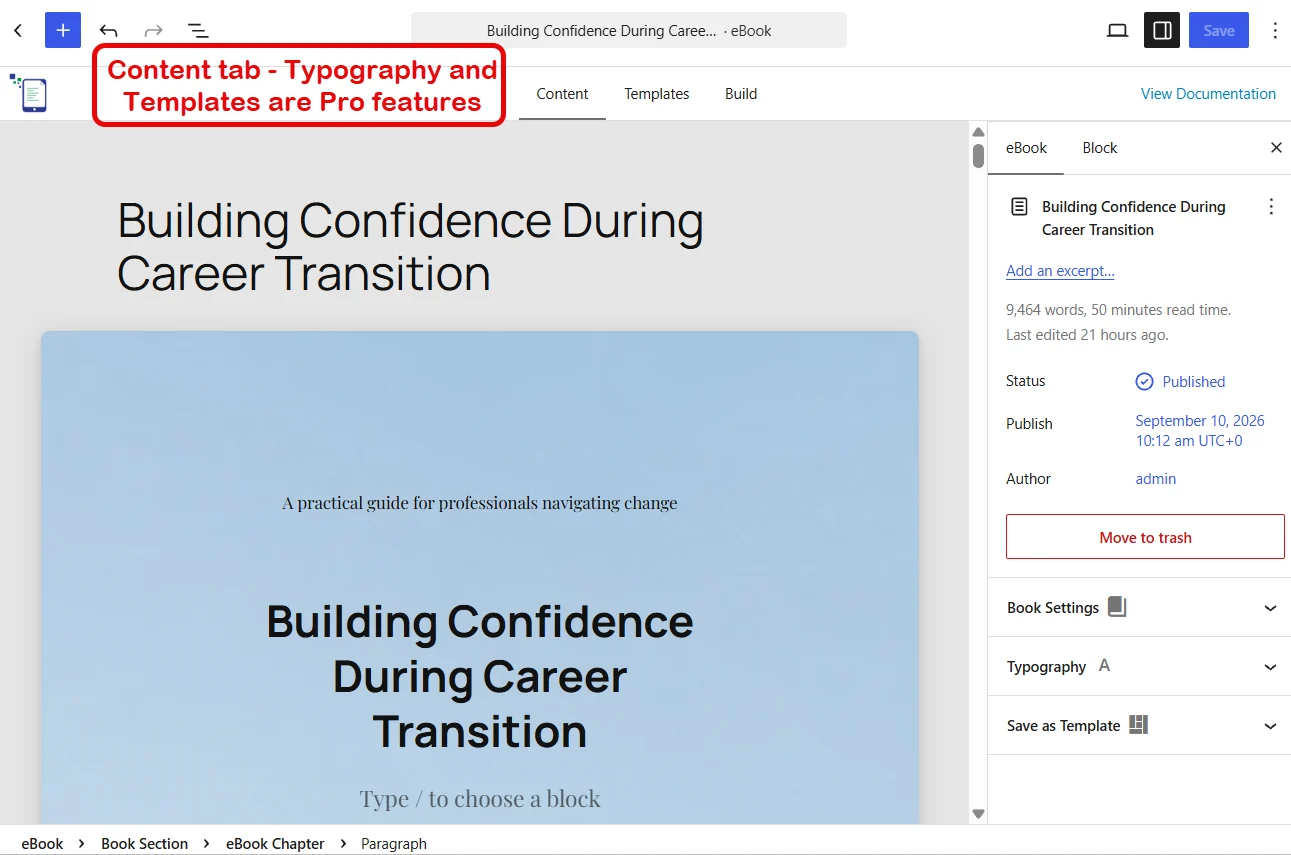
Any post type
Posts, pages and custom post types all work, so recipes, lessons, portfolio pieces and WooCommerce products can all become chapters.
Twenty chapters in one go
Pick a whole list of posts at once and watch them drop in as chapters, with a live count while they load.
Only the content that belongs
The post type list hides WordPress internals and plugin plumbing, so you choose from real content and nothing else.
Reorder until it reads right
Drag chapters into the order a reader would want, and the table of contents follows.
Craft a book according to your wishes.
Covers, contents and chapters are familiar blocks.
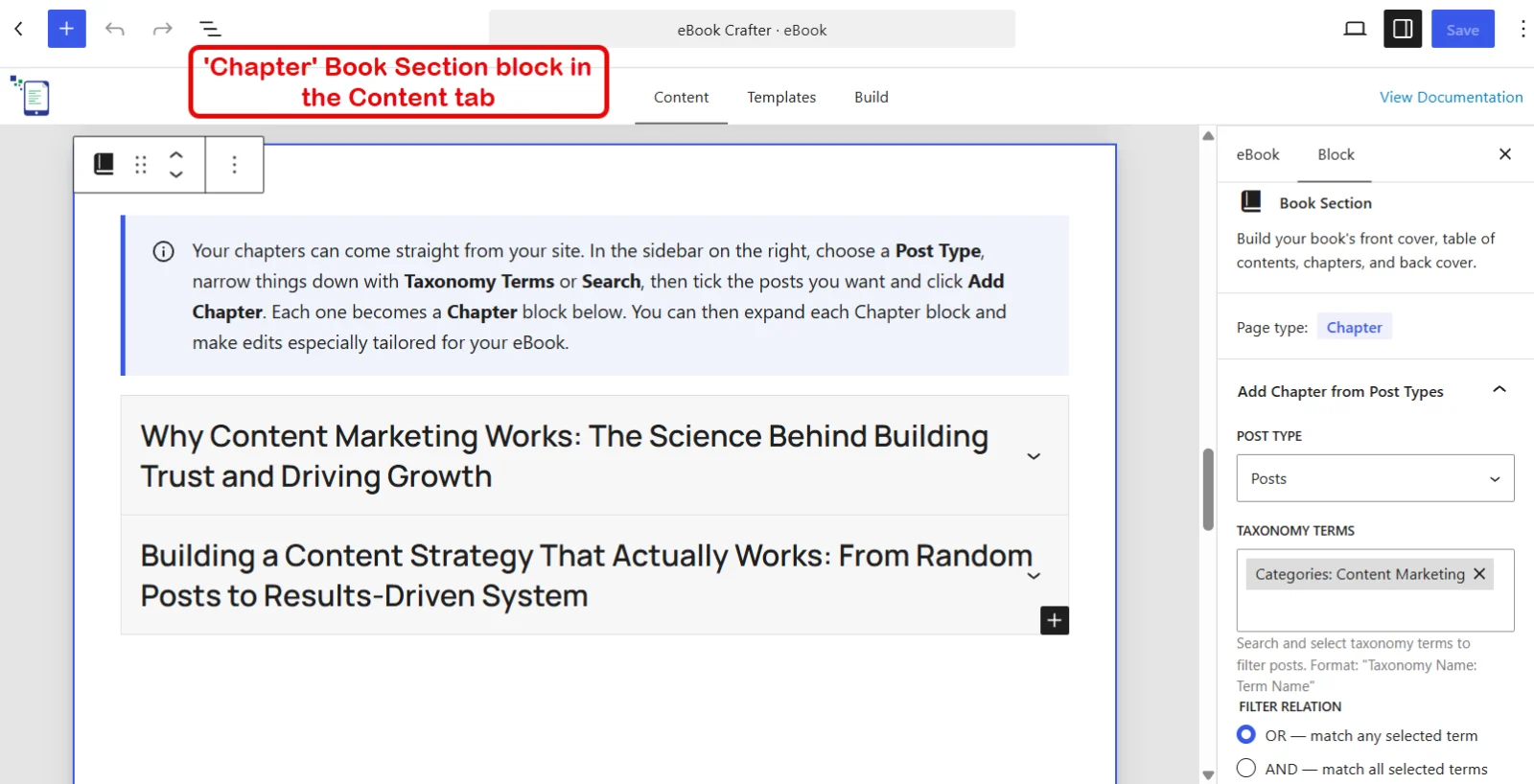
Page, Chapter and Contents blocks
Three blocks give every page its role. Place them, and the book takes shape around them.
PRO
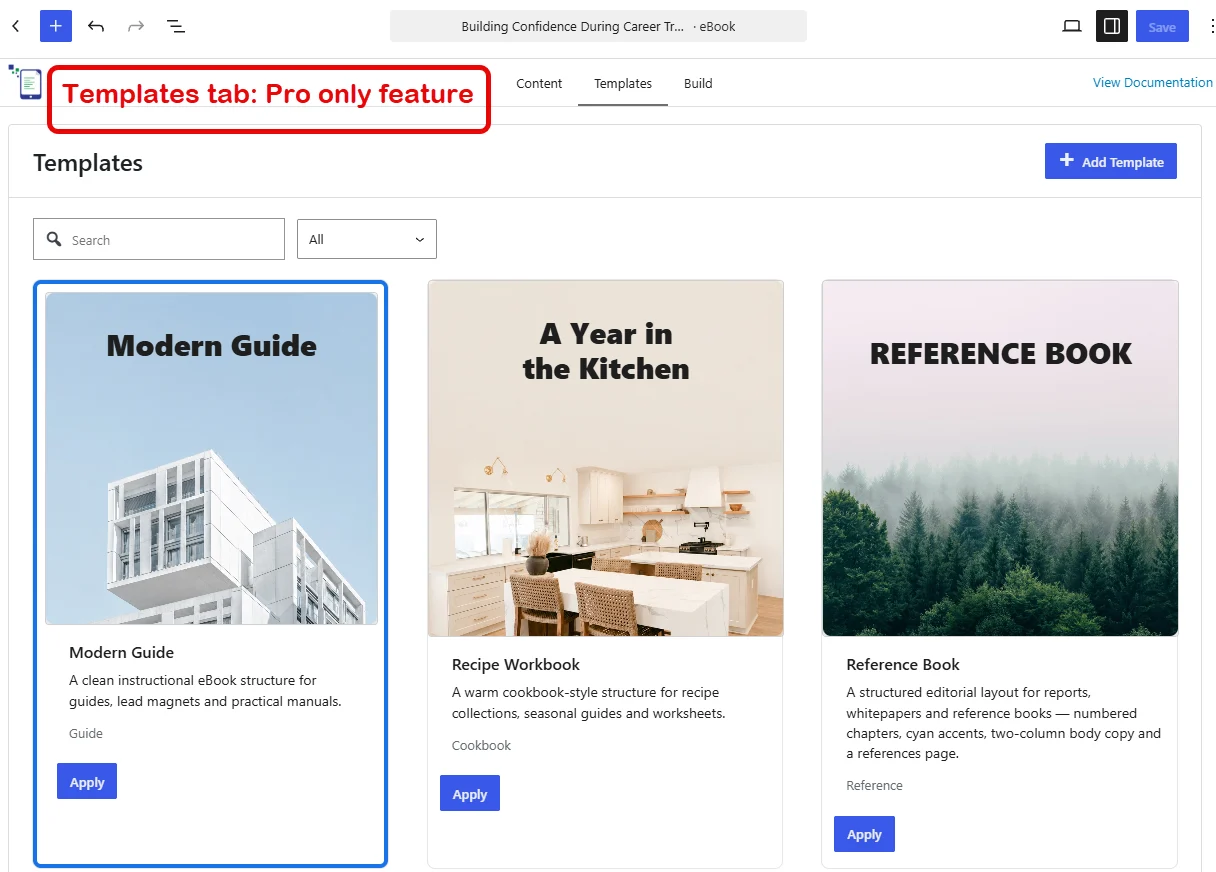
Book templates
Start from Default Starter, Modern Guide, Recipe Workbook, Reference Book or A Year in the Kitchen, and the fonts, colors and covers come with it.
PRO
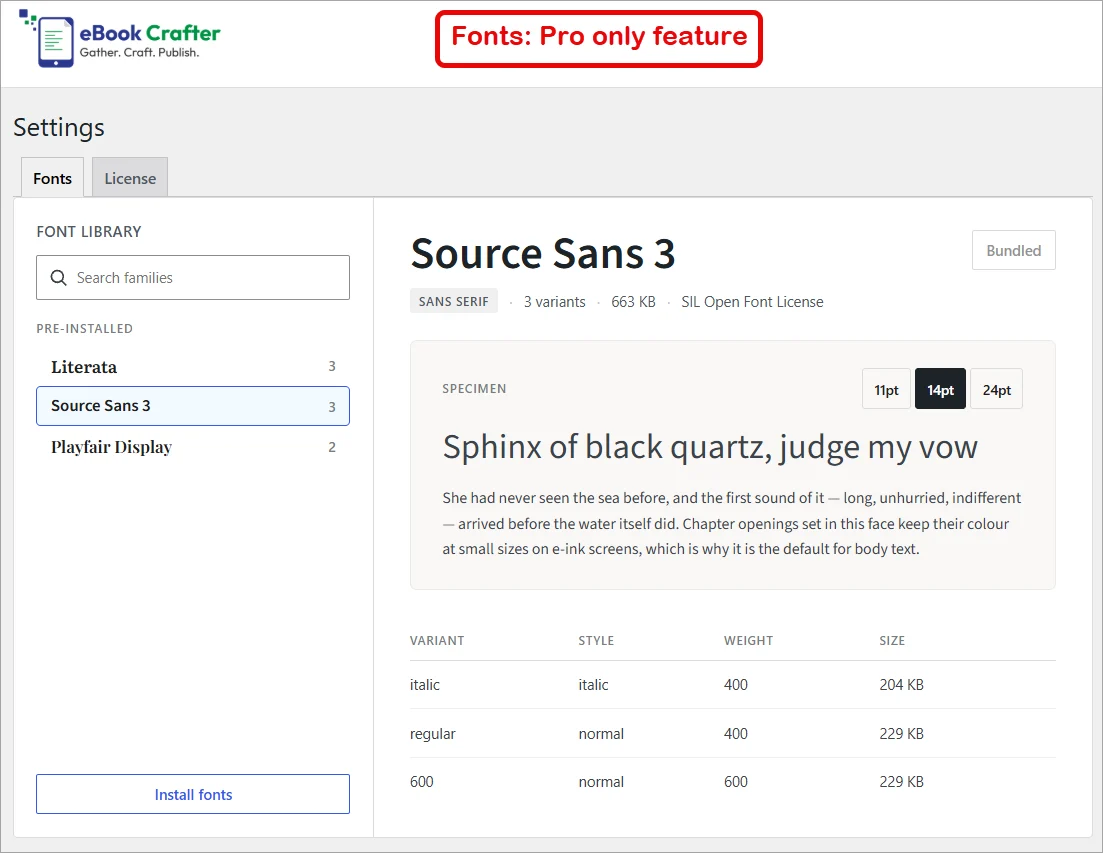
1,900+ Google Fonts
Search the whole Google Fonts library, preview specimens, pick the variants you need and install them to your site. Literata, Source Sans 3 and Playfair Display come bundled.
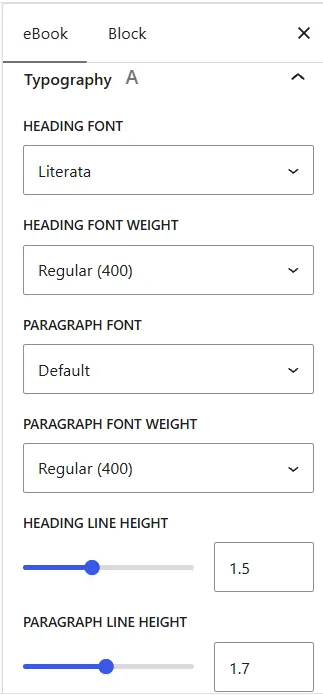
Typography that matches your voice
Set the heading and paragraph font, choose any weight, and tune the line height with a slider.
PRO
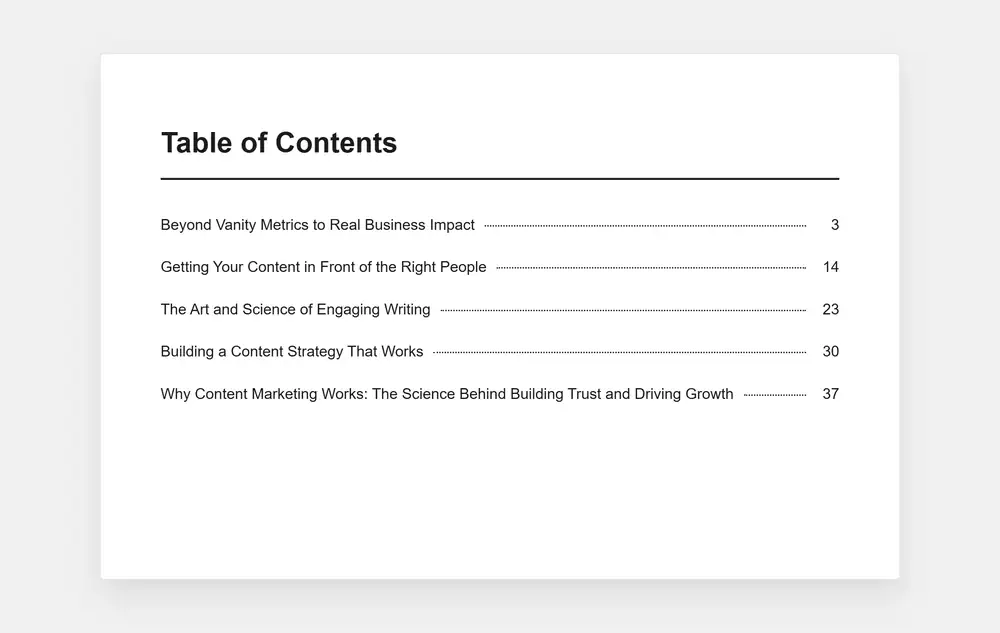
A Table of Contents page with automatic page numbering
The table of contents is built from your chapters and created in a professional, book-ready format.
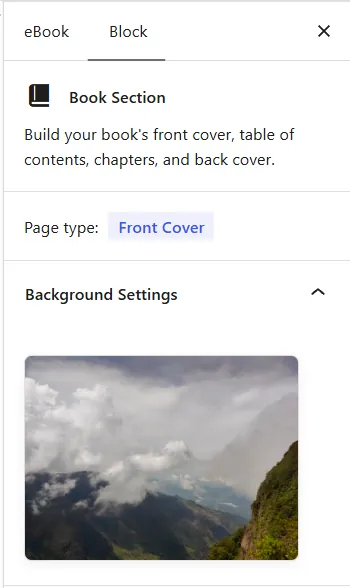
Covers, front and back
Upload a front and back cover, preview them in the sidebar, and swap them whenever you like.
Page backgrounds
Pick a solid color or one of six soft gradients for every page.
PRO
Save your own templates
Finish one book you’re proud of, save it as a template, and use it in the next one.
Publish a memorable PDF eBook for your readers
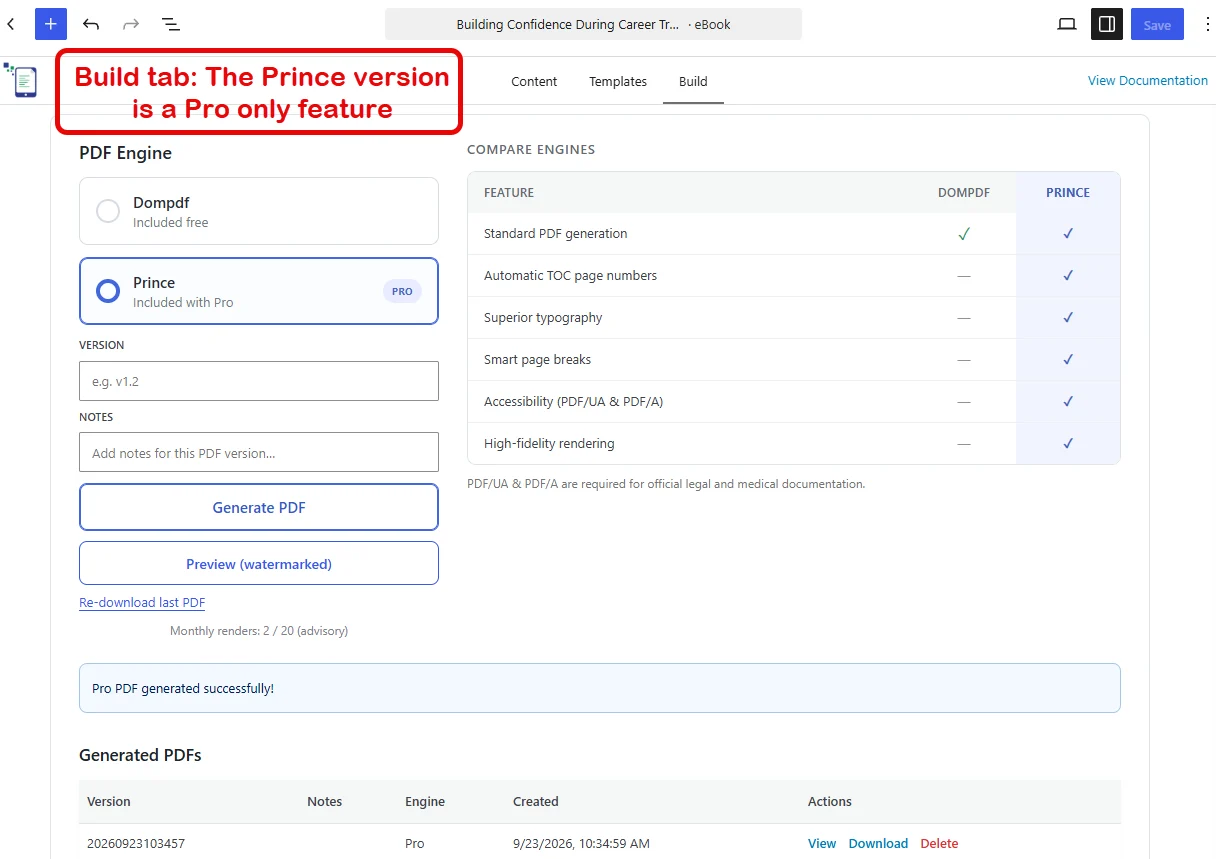
Two engines generate the PDF for you. The free one runs on your server. The Prince engine comes with Pro, and is provided through our rendering service.
Built on your own server
The free engine makes the PDF on your own site. No need for an account or key.
PRO
Page numbers in the contents
Every chapter gets its page number, with a row of dots leading the eye across, just like a printed book does it.
PRO
Smart page breaks
Prince keeps headings with paragraphs and never leaves a line stranded at the top of a page.
PRO
Accessible PDFs
Prince builds PDFs that screen readers can follow, so every reader gets the whole book.
PRO
True to your theme
Your palette colors, gradients and type sizes come through exactly as you set them.
Scripts and emoji included
Text is shaped and joined correctly, and emoji are drawn in as well.
Pro gives you unlimited watermarked previews and 20 final exports a month, reset on the 1st. Learn more →
Manage every edition from one place
The eBook Library remembers every build.
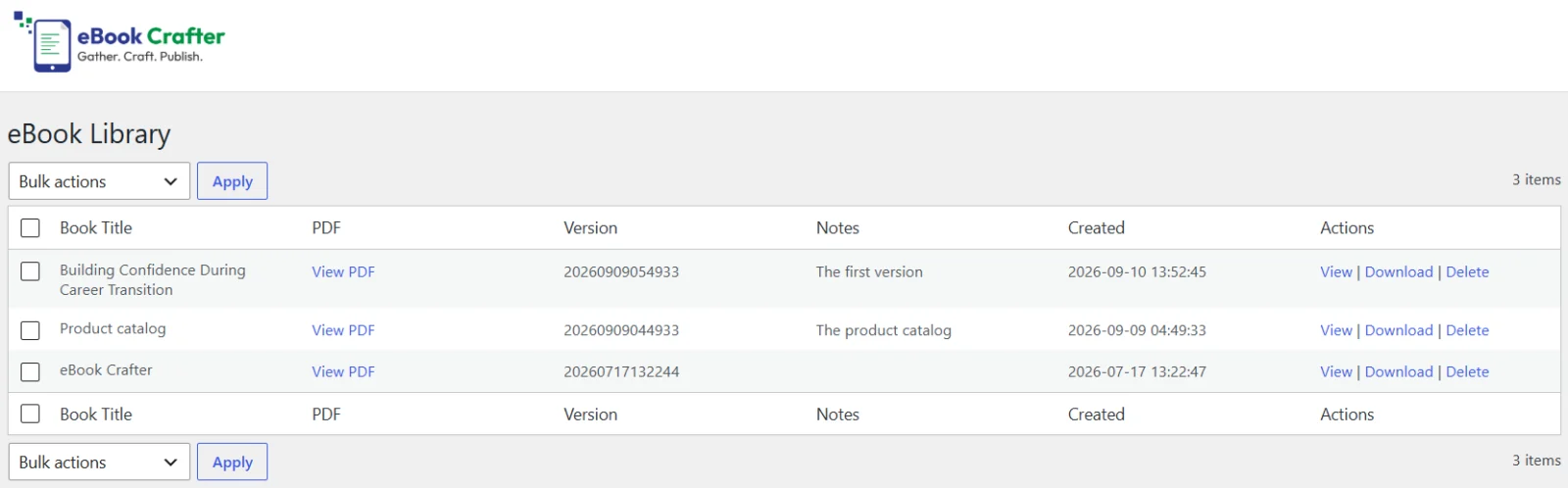
The eBook Library
Every PDF you build is listed with a version label and notes, so v1.2 and v1.3 never get mixed up.
Saved to your Media Library
Finished PDFs land in the Media Library, where WooCommerce, Easy Digital Downloads and membership plugins already know to look.
Room for your team
Editors can build and manage PDFs, and deleting one needs permission to edit the book it came from.
Yours to keep
Uninstall eBook Crafter and every PDF stays in your Media Library, untouched.
Start with free. Grow into Pro.
The free version of this WordPress PDF plugin makes real books with no watermark and no limits. Pro is for the day you want them to look like they came from a publisher.
| Feature | Free | Pro |
|---|---|---|
| Posts, pages and custom post types as chapters | Yes | Yes |
| Page, Chapter and Table of Contents blocks | Yes | Yes |
| Automatic table of contents | Yes, but no page numbers | Yes, with page numbers |
| Five block patterns | Yes | Yes |
| Front and back covers | Yes | Yes |
| Page backgrounds, solid or gradient | Yes | Yes |
| Heading and paragraph fonts, weights and line height | Default fonts | Default fonts plus 1,900+ Google Fonts |
| Bundled book fonts (Literata, Source Sans 3, Playfair Display) | No | Yes |
| Ready-made book templates | No | Five |
| Save your own templates | No | Yes |
| PDF engine | Dompdf, on your server | Dompdf plus Prince |
| Smart page breaks | No | Yes |
| Accessible PDFs | No | Yes |
| Theme colors and gradients in the PDF | Basic | Exact |
| Arabic text shaping and emoji | Yes | Yes |
| Watermarks | None | Only on Previews, none on final exports |
| Exports | Unlimited | Unlimited previews, 20 final Prince exports a month, reset on the 1st |
| Page limit | None | None |
| eBook Library with versions and notes | Yes | Yes |
| Editor access to the Library | Yes | Yes |
| Support | WordPress.org forum | Priority support and a say in the roadmap |
14-day free trial on every Pro plan. 30-day money-back guarantee.
Your content stays yours
Free builds at home
The free engine runs on your own server. No book content or personal data will leave your site.
Pro uses Prince to generate PDFs
When you export with Prince, the book is rendered by a server in the US, through our rendering service. Content is never logged, and the file is deleted from our servers in 24 hours.
The only permanent copy is yours
The finished PDF is saved in your Media Library.
“I’ve used eBook Crafter on my site, and was surprised at the quality of it. It worked very well with no bugs at all. It worked natively in the block editor too no problems!”

Every feature above, from $39 a year
Pro starts at $39 a year for one site, with the Prince PDF engine, Templates, Google Fonts, and priority support. Agencies get 5 sites for $99 and 25 sites for $259.
14-day free trial. 30-day money-back guarantee.
The questions that come up when you’re comparing plugins
Does it work with Elementor, Divi or the Classic Editor?
Not yet. eBook Crafter is built on the block editor, so you need it enabled to create books. Your posts can still be written in any editor and gathered into a book.
What page size do the PDFs use?
A4 portrait. Other sizes are on our list, and the Prince engine makes them possible, so tell us which size you need.
What counts as an export in Pro?
A final, watermark-free PDF built with Prince. You get 20 of them a month per site, reset on the 1st, and as many watermarked previews as you like. Dompdf exports are never counted.
What happens after my 20 exports?
Prince previews keep working, and the Dompdf engine stays unlimited. Your count resets on the 1st.
Can I write in Arabic, Hindi or Japanese?
Yes. The free engine shapes and joins Arabic text, and Prince handles most scripts out of the box. Install a font that covers your language from the Google Fonts library for the best result.
Who on my team can build PDFs?
Administrators and Editors can open the Library and build PDFs. Deleting one needs permission to edit the book it was built from.
What happens to my PDFs if I uninstall the plugin?
They stay in your Media Library. The plugin only adds files there and never removes them.
Is eBook Crafter GDPR friendly?
The free plugin sends no content or personal data anywhere. Pro sends book content to our rendering service only to build the PDF, and the file is deleted from our servers within 24 hours.
Is eBook Crafter developer friendly?
Yes. It is built the WordPress way, with a custom post type, a REST API and filters like ebookcrafter.chapterPostTypes and ebookcrafter/library_capability. It needs WordPress 6.3+ and PHP 8.1+, and both plugins are GPL-2.0.
Is eBook Crafter a WordPress eBook plugin or a PDF maker?
Both. It gathers your posts into an eBook in the block editor, then builds a print-ready PDF from it.
Your next book is already written
It’s saved in your posts. Build your book today.